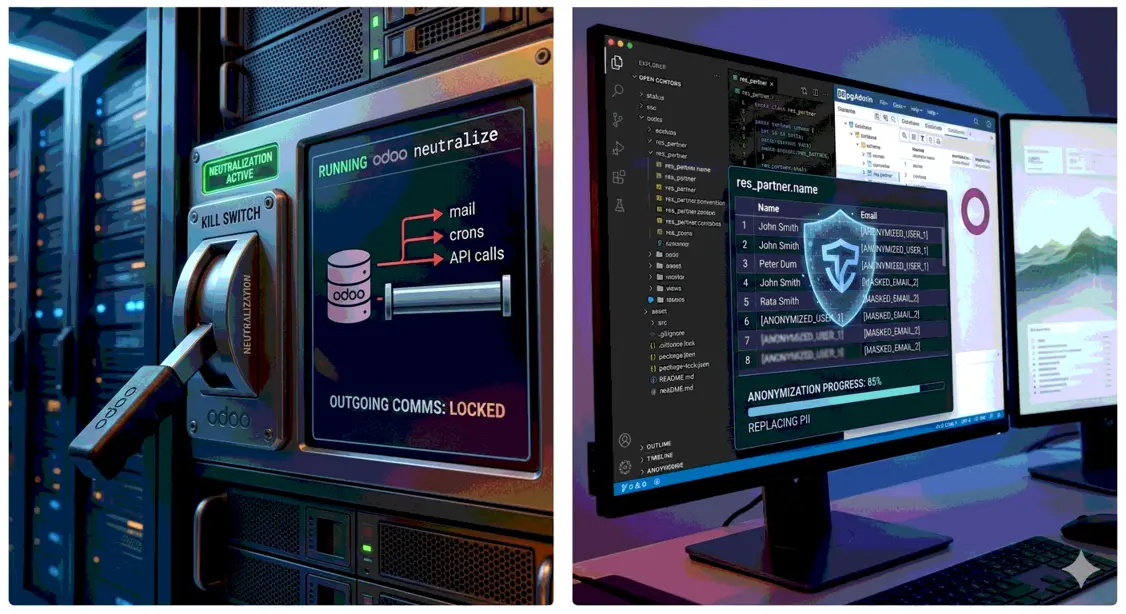
Every restore of a production database onto a developer laptop, a staging server, or a CI runner is a quiet data leak waiting to happen. Real customer emails, salaries, bank accounts, and live API credentials end up in places that were never meant to hold them. The crons that were sleeping in production wake up on the copy and start emailing real people.
The fix is not a single tool. It is four distinct operations that people routinely confuse: neutralization, shrinking, anonymization, and obfuscation. They overlap, they are often run together, but they answer different questions. This post defines each one and gives you a rule for which to reach for.
This is Part 1 of a three-part series. Part 2 surveys the external tools (community modules and PostgreSQL extensions). Part 3 walks through how we handle this at Trobz.
The Four Operations at a Glance
| Operation | Question it answers | Typical trigger |
|---|---|---|
| Neutralization | “Will this copy talk to the outside world, and does it point at the right environment?” | Any non-production restore |
| Shrinking | “Is this copy small enough to work with?” | Large production DB, local/CI use |
| Anonymization | “Can a person be re-identified from this copy?” | Copy leaves the trusted circle (dev debugging, automated testing, demos) |
| Obfuscation | “Can the values be hidden now and restored later?” | Copy has to come back with its real values |
The first three are roughly ordered by how far the data is travelling. A copy that stays on a trusted staging server needs neutralization. A copy that goes into automated testing or onto an unmanaged laptop needs all three. Obfuscation sits outside that order: it hides values reversibly.
Neutralization
Neutralization stops a database copy from interacting with the outside world: no outgoing mail, no payment captures, no calls to external APIs, no scheduled jobs firing against live systems. It also covers the other half of the same job, adapting the copy to the environment it now lives in, so that what it does reach belongs to that environment and not to production.
Neutralization has two halves. The module-driven one is a first-class command since Odoo 16.0:
odoo neutralize
The mechanism is plain SQL, not Python. odoo neutralize reads the list of
installed modules from ir_module_module, and for each one that ships a
data/neutralize.sql file, runs it. There is no _neutralize() method to
override; a module opts in simply by adding that file. Across the modules that
ship one today, this covers:
- Outgoing emails (
base: deactivatesir_mail_server, inserts a dummy fallback server) - Cron/scheduled actions (
base: deactivatesir.cronrecords, except the autovacuum job) - Bank synchronization
- Payment providers (per payment module: wipes provider credentials)
- Delivery/carrier integrations (
delivery: disables prod environment and external carriers) - IAP consumption (
iap: invalidatesiap_accounttokens) - Website indexing/visibility (
website: clears the domain, disables the CDN, setsrobots.txtto disallow all crawling)
Because the SQL lives next to the module it protects, neutralization is the
right home for module-specific safety. If you write a module that, say, syncs an
authentication token between a website and the Odoo backend per company, that
module should ship a data/neutralize.sql that wipes or fakes the token. The
author of the integration knows what is dangerous about it; that knowledge
belongs in the module, not in a separate script someone has to remember to
update.
Automated Neutralization on Odoo.sh
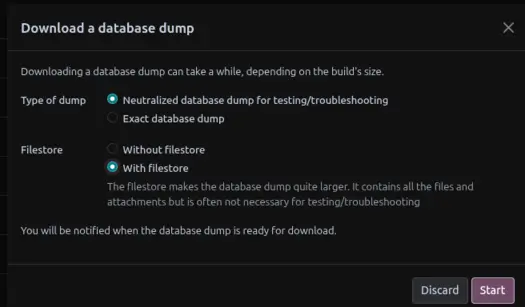
Odoo.sh runs neutralization for you in two situations:
-
When a production dump is restored onto a staging branch.
-
By default, when a database dump is downloaded through the Odoo.sh UI.
The Environment-Specific Half
odoo neutralize is the same everywhere it runs. The other half depends on
where the copy landed: it adjusts the database so it works correctly in its new
environment, pointing at that environment’s own configuration instead of
production’s.
Typical steps:
- Update
web.base.urlandreport.urlto the new environment’s hostname. - Reset the admin password to a known value.
- Point mail catchall/alias domains at a test domain.
- Swap external connector endpoints (CRM, e-commerce, marketing tools) for the environment’s own credentials.
The need is concrete. Suppose a CRM project connects to an external admin service via API, and each environment is supposed to use its own credentials. Restore production onto staging and skip this step, and staging now authenticates as production against that external service.
Rule: Neutralization is non-negotiable on every non-production database. It is the floor, not the ceiling.
What neutralization does not do: it does not remove personal data. That is what the next two operations are for.
Shrinking
Shrinking (also called minifying) removes records that the target environment does not need, to make the copy smaller and faster to work with. A multi-gigabyte production database is painful to restore repeatedly on a laptop or in CI; trimming years of historical transactions, old attachments, or detached log tables can cut it down by an order of magnitude.
Shrinking is the one operation that is purely about ergonomics, not safety. You can skip it and still have a correct, safe copy — just a slow, heavy one. Because deleting records means navigating foreign keys and Odoo’s referential integrity, it is also the fiddliest to get right, which is why it is reserved for the cases where size genuinely hurts.
Recommendation: Shrink only when size is a real problem. For most staging restores, a full-size copy is simpler and less error-prone than a half-deleted one.
Anonymization
Anonymization removes or replaces personal and sensitive data so that no individual can be re-identified from the copy. This is the operation with legal weight behind it: under GDPR and similar regimes, a production copy full of real personal data on a developer’s machine is a processing activity you probably cannot justify.
What anonymization targets:
- Direct PII: names, emails, phone numbers, addresses, national IDs, bank account numbers, dates of birth.
- Sensitive business data: salaries, costs, margins, prices — data that is confidential even when it is not personal.
The goal is a database that is realistic enough to develop and test against, but that exposes no one if it leaks. A developer debugging a payroll bug needs payslips with believable structure; they do not need anyone’s real salary.
Anonymization is the most involved operation because it is schema-specific.
Generic tools can mask obvious fields like res_partner.email, but real
databases carry PII in custom fields, denormalized copies, mail message bodies,
tracking-value history, and attachments. Doing it properly means walking the
actual schema, not just the standard tables.
Rule: If a copy will be used for automated testing, shared for debugging, or shown in a demo — anywhere outside the trusted circle that already has production access — it must be anonymized. Neutralization is not a substitute: a neutralized database still contains every real name and salary.
Obfuscation
Obfuscation replaces sensitive values with encrypted ones that a password turns
back into the originals. Odoo ships it natively since 16.0 as
odoo obfuscate:
odoo obfuscate -d {{database}} --pwd "$OBFUSCATE_PWD" \
  --fields res_partner_bank.acc_number
odoo obfuscate -d {{database}} --pwd "$OBFUSCATE_PWD" --unobfuscate \
  --fields res_partner_bank.acc_number
The command encrypts values in place with PostgreSQL’s pgcrypto. It works per
column, not per record: every row of a listed column is encrypted, and there is
no way to pick a subset of records. It comes with a default list of columns
(partner names, contact and address fields, mail_message bodies,
mail_tracking_value history, CRM leads). Fields (--fields table.column,...)
or a file (--file, one table.column per line) extend it with
project-specific columns, and the same list has to be passed again to
unobfuscate. Only text columns qualify, so amounts, dates and attachments stay
readable.
Since the encrypted values are written into the real data:
- The command asks for confirmation before it runs:
This will alter data in the database <db> and can lead to a data loss.Until the copy is unobfuscated, the original values exist only as ciphertext. - The password is saved in
ir_config_parameter(odoo_cyph_pwd), encrypted with itself so later runs can verify it. Keep the password safe; without it, every obfuscated value is lost. - An encrypted value updated while the database is obfuscated (edited by a
user, or concatenated by a computed field such as
complete_name) is no longer valid ciphertext, and the later--unobfuscaterun fails on it.
Obfuscation is not anonymization. Anyone with the password can read the data back, and the command’s own prompt states it is not considered safe for transferring data to a third party. The encrypted values are base64 strings, not realistic test data. It fits a copy that has to come back with its real values.
A Decision Rule
Start from where the copy is going, and apply everything up to that point:
- Any non-production copy → neutralize, both halves.
- Copy is large and size hurts → also shrink.
- Copy leaves the trusted circle (dev laptops, CI, demos, anyone without production access) → also anonymize.
The most common and most dangerous mistake is stopping at step 1 when the copy actually qualifies for step 3, treating “the crons are off and the URL is fixed” as “the database is safe.” It is not. A staging server that the whole team can reach, holding fully identifiable production data, is a leak with extra steps.
Obfuscation does not satisfy step 3. An obfuscated copy still holds every real value, one password away.
Key Takeaways
Handling sensitive data in Odoo is four operations, not one. Neutralization
stops the copy reaching the outside world (odoo neutralize, which belongs in
your modules) and reconfigures it for its new environment. Shrinking trims it
for ergonomics. Anonymization strips personal and sensitive data so a leak harms
no one. Obfuscation (odoo obfuscate) encrypts columns in place and can be
reversed, as long as the password is kept and the encrypted values are left
untouched. They are usually run together, but knowing which is which tells you
what is still missing when a copy moves somewhere new.